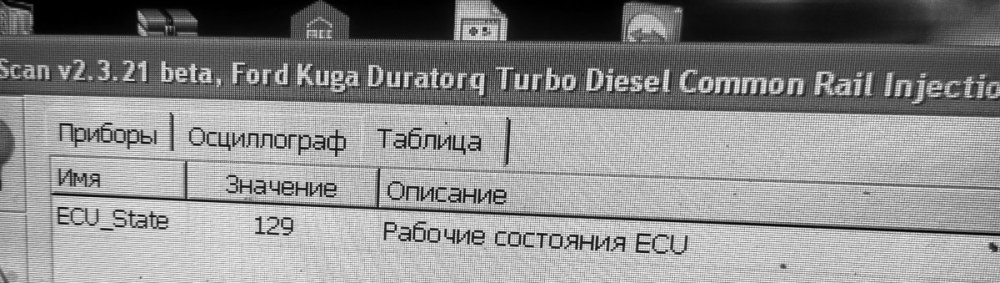
- Ford Kuga 2.0 tdci 2010
-
Ford Kuga 2.0 tdci 2010
Уже фантазия закончилось
-
Ford Kuga 2.0 tdci 2010
Что ещё может влиять?
-
Ford Kuga 2.0 tdci 2010
-
Ford Kuga 2.0 tdci 2010
да при нажатой. гаснет
-
Ford Kuga 2.0 tdci 2010
педаль сцепления 25% это норм?
-
Ford Kuga 2.0 tdci 2010
в приборке висит U1900-20 нет связи с srs. может влиять?
-
Ford Kuga 2.0 tdci 2010
- Ford Kuga 2.0 tdci 2010
Массы на pcm проверил, всё ок- Ford Kuga 2.0 tdci 2010
С проводка прозвонена под нагрузкой. Не Хватает минуса с pcm- Ford Kuga 2.0 tdci 2010
Без педали сцепления, зажигание выключается- Ford Kuga 2.0 tdci 2010
Подкидывал массу мимо pcm . Заводится с кнопки, но стартер крутит дольше чем положено- Ford Kuga 2.0 tdci 2010
Сцепления видит, МКПП. Реле проверил, ставил другое - Ford Kuga 2.0 tdci 2010
Account
Поиск
Настройте push-уведомления браузера
Chrome (Android)
- Tap the lock icon next to the address bar.
- Tap Permissions → Notifications.
- Adjust your preference.
Chrome (Desktop)
- Click the padlock icon in the address bar.
- Select Site settings.
- Find Notifications and adjust your preference.
Safari (iOS 16.4+)
- Ensure the site is installed via Add to Home Screen.
- Open Settings App → Notifications.
- Find your app name and adjust your preference.
Safari (macOS)
- Go to Safari → Preferences.
- Click the Websites tab.
- Select Notifications in the sidebar.
- Find this website and adjust your preference.
Edge (Android)
- Tap the lock icon next to the address bar.
- Tap Permissions.
- Find Notifications and adjust your preference.
Edge (Desktop)
- Click the padlock icon in the address bar.
- Click Permissions for this site.
- Find Notifications and adjust your preference.
Firefox (Android)
- Go to Settings → Site permissions.
- Tap Notifications.
- Find this site in the list and adjust your preference.
Firefox (Desktop)
- Open Firefox Settings.
- Search for Notifications.
- Find this site in the list and adjust your preference.